Looking for instructions on how to edit or add to your 18Doors clergy profile? You’ve come to the right place. You can now make changes yourself anytime. Just follow these simple steps!
Any questions? Send us an email here.
Steps to update your profile as part of the 18Doors Jewish Clergy Referral Service:
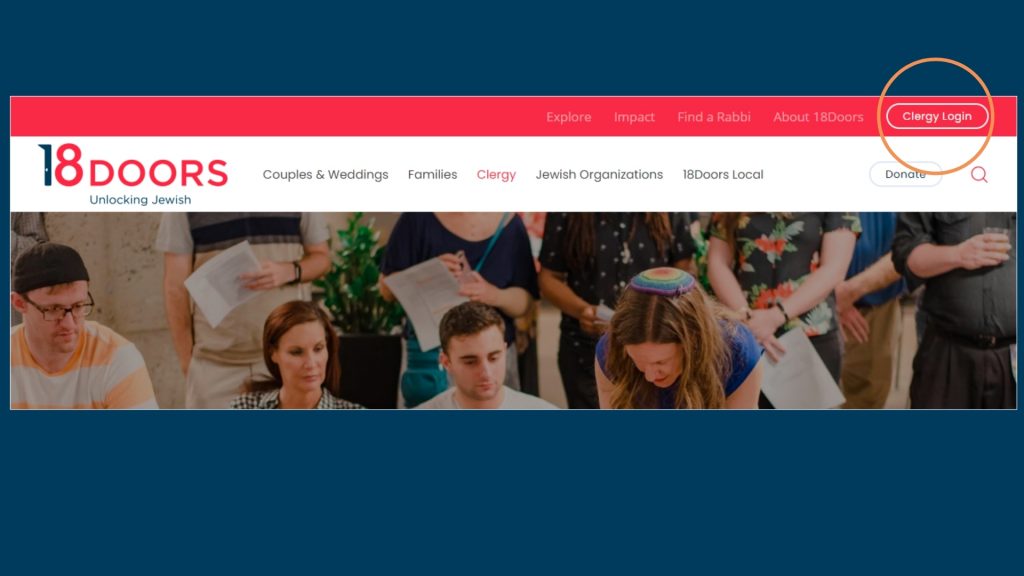
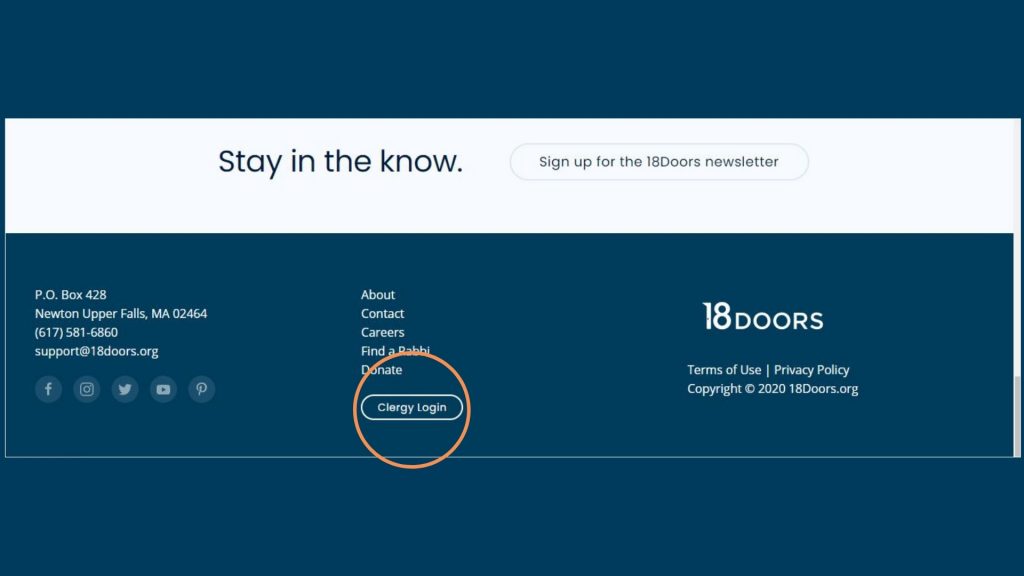
Step 1: Go to www.18doors.mybeta.website and click Clergy Login — which you can find either at the header (top of the website) or footer (at the bottom of the website).
Step 2: Enter your Username and Password and then click the gray button that says REFERRAL SERVICE CLERGY LOGIN.
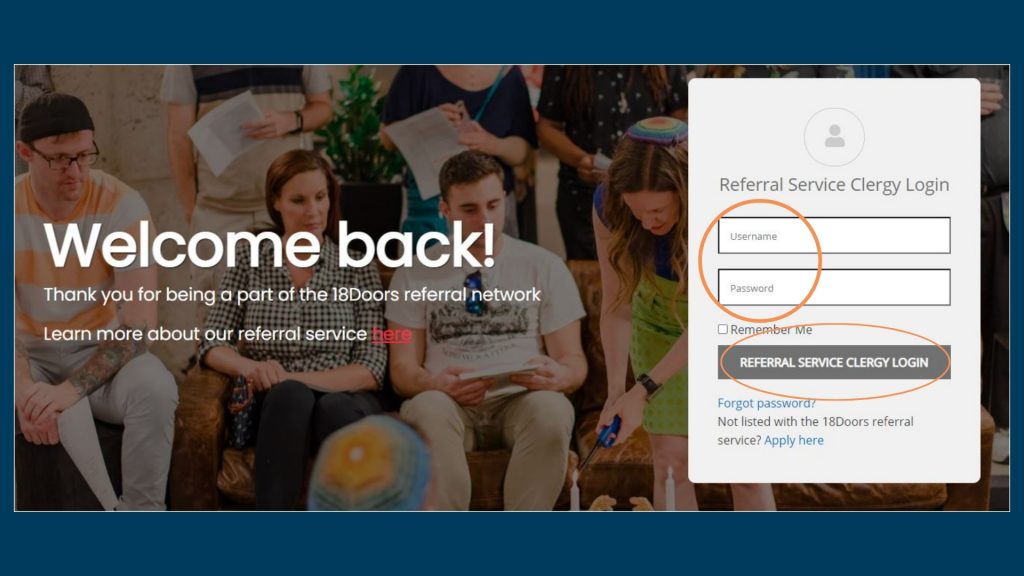
*If you can’t remember your password and need to reset it, click Forgot Password?. Then enter in the email address affiliated with your 18Doors account and click Submit. You’ll receive an email with a link that will enable you to create a new password.
STEP 3: To edit your profile, click on the Add/Edit Profile button.

* If you’d like to change your login password instead of edit your profile, you’ll click the Manage Account button instead. You’ll enter your old password, create a new one, and then click SUBMIT.
Step 4: Click on the Edit button under your name.
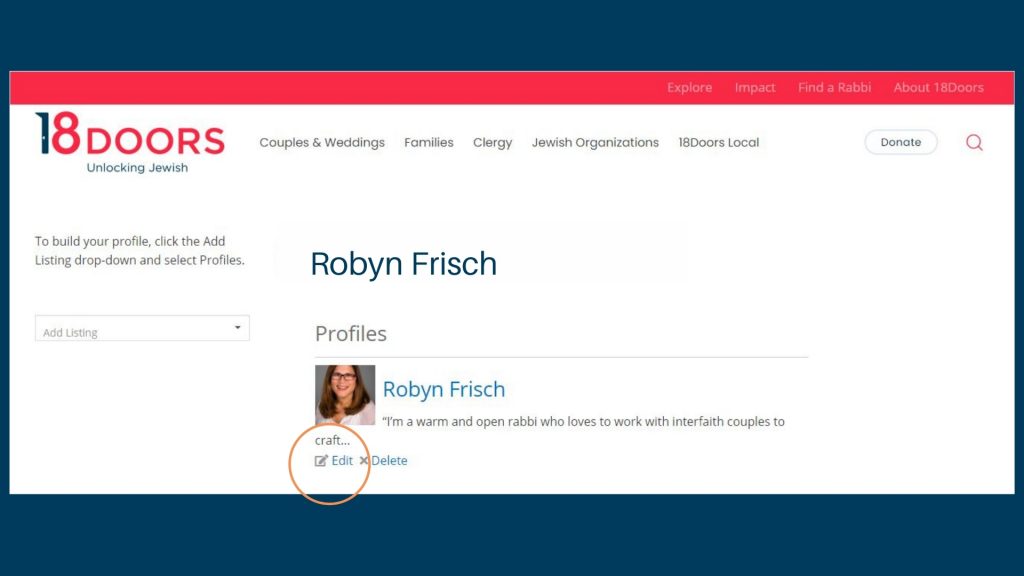
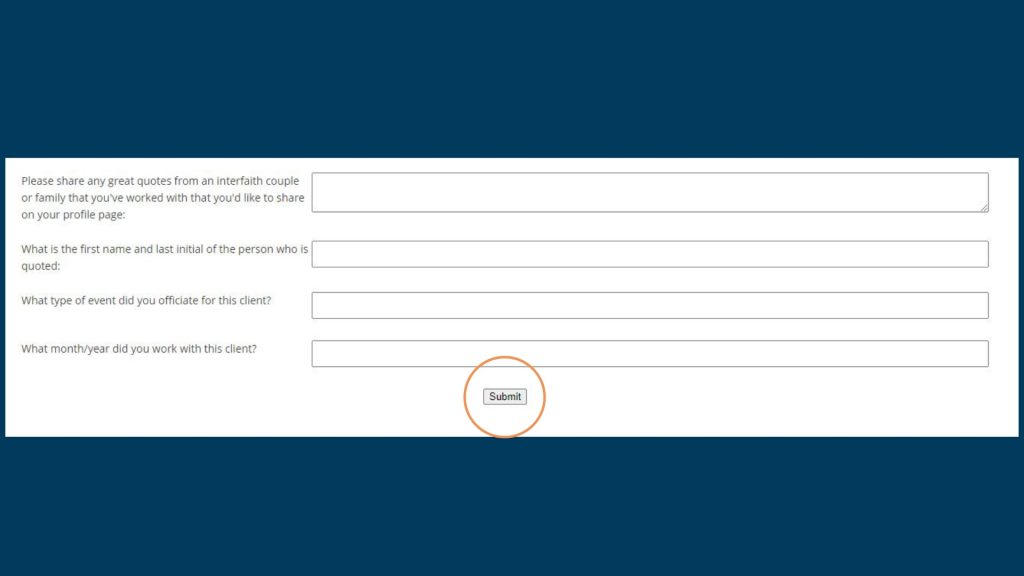
Step 5: Make any changes needed and click the Submit button at the bottom of the page.
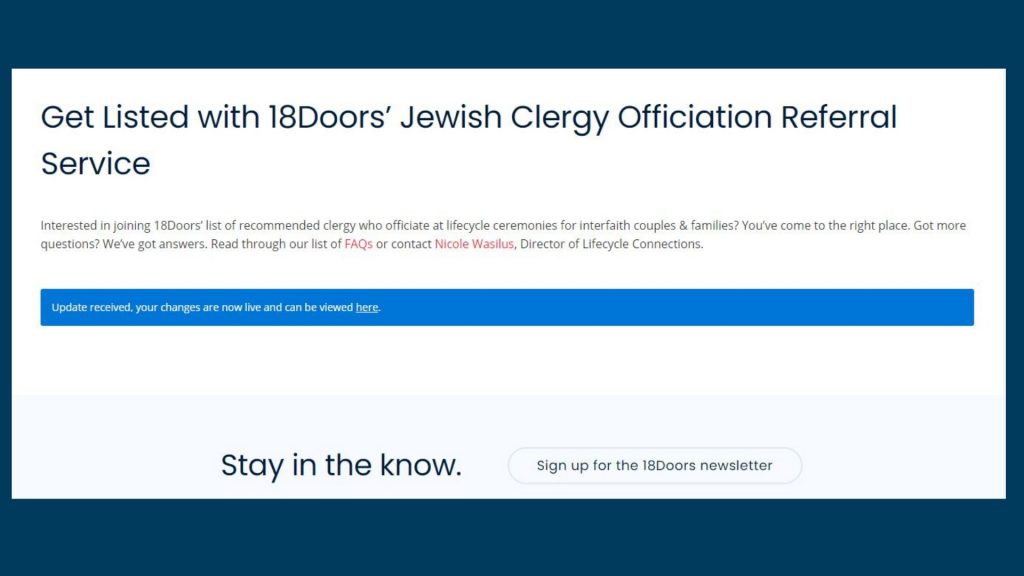
You will get a screen confirming that the changes were submitted, and we’ll be in touch once those changes go live or if we have any questions.

Author: 18Doors
